IPTV guide
IPTV VLC: opening your playlist link in VLC on any screen
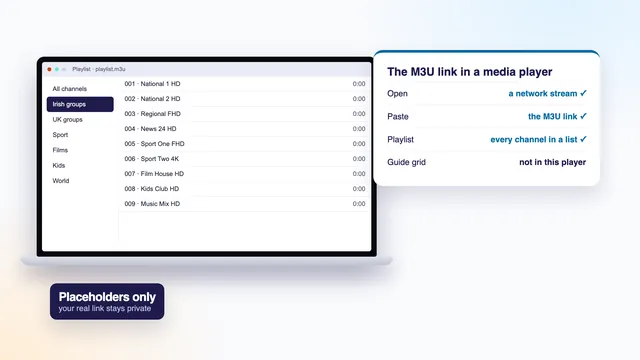
IPTV VLC setups take about a minute: VLC, the free media player, accepts the M3U link from your login message as a network stream and starts playing channels straight away. This guide gives the exact menu on a Windows PC, a Mac, an Android phone or tablet and an iPhone or iPad, then shows how to find one channel among thousands, which settings steady a shaky picture, and why most homes move on to a dedicated player for everyday viewing.
IPTV VLC: what VLC does with your login
VLC is a free, open-source media player, more than twenty years old, for Windows, Mac, Android, iPhone and iPad. It plays files and web streams in nearly every format, which is why it opens our channels with no add-on at all.
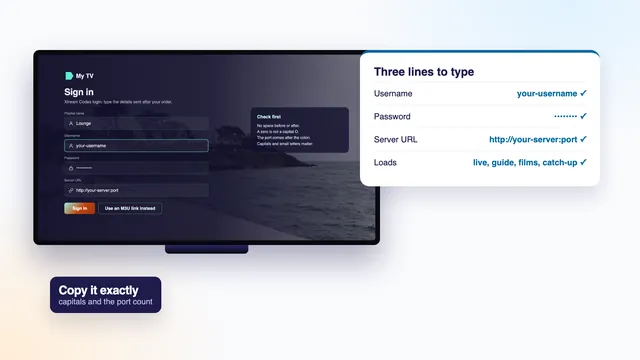
It only reads one of the two ways in from your login message. If IPTV and its login are new to you, the home page starts from the beginning. In short, the Xtream Codes details come as three separate lines that need a player built for that format, and VLC is not one. What VLC does take is the M3U link: a single web address with the username and password inside it. Ours has this shape, with your details in their place:
http://your-server:port/get.php?username=your-username&password=your-password&type=m3u_plus
Its final part, type=m3u_plus, asks for the fuller list, with a group name and a logo address on each entry. VLC takes the channel names and stream addresses from it and sets most of the rest aside.
In plain words
M3U playlist
A text file in which each entry is a name followed by the address of a stream. Our link builds it fresh every time it is opened.
Network stream
VLC’s term for anything played from a web address rather than from a file on the device.
Network caching
The short reserve of picture VLC stores before it starts playing, set in milliseconds.
EPG
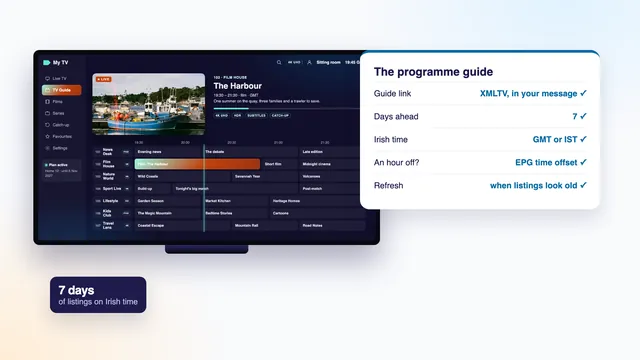
Electronic programme guide: the seven-day grid of what is on, on Irish time. VLC does not display it.
Catch-up
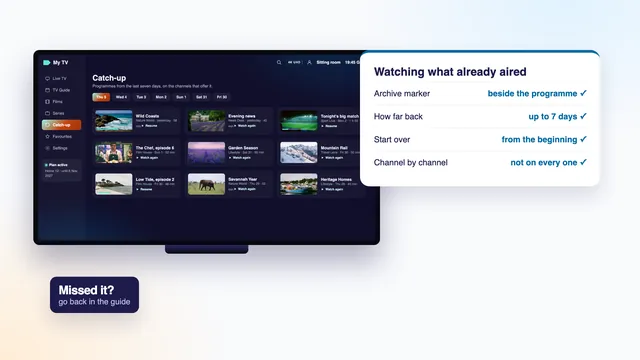
Programmes from recent days, usually up to seven, on channels that offer it. VLC has no menu for it.
Deinterlacing
Smoothing the comb-like edges some live channels show on fast movement.
Opening the link in VLC on a Windows PC
- Install VLC from the Microsoft Store or its developer’s own site, then open it.
- Copy the link from the message. With WhatsApp or the email open on the PC itself, there is nothing to type.
- Choose Media › Open Network Stream, or press Ctrl + N.
- On the Network tab, paste the link into the box for a network URL.
- Press Play. VLC fetches the list and starts on the first entry.
Give it a moment. With 40,000+ live channels in it, the list is long, and VLC reads every line before the playlist settles. On a recent PC that takes seconds; on an old laptop it can take a minute or more, and the window may look frozen while it works. That is normal, so wait rather than clicking again.
When VLC says your input can’t be opened
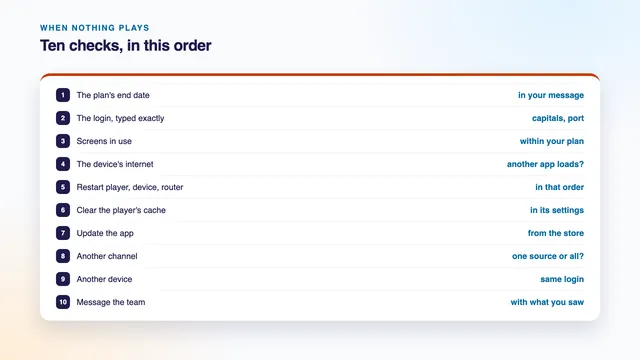
That message means the address did not return a playlist. Most often the link was cut short in the copy, one character changed, or the plan’s end date has passed. Copy the link again in full from the message. For more detail, Tools › Messages, with the verbosity raised, shows the server’s reply; a 403 there usually means the server refused the details. The checklist for a login or channel that will not play takes the causes in order.
On a Mac, an Android phone, an iPhone or an iPad
Mac
Download VLC from its developer’s site, open it and choose File › Open Network (Cmd + N). Paste the link into the URL field and click Open. The channels then appear as a playlist in the VLC window.
Android phone or tablet
Install VLC for Android from Google Play. Open the More tab and choose the option for a network stream, called New stream in recent versions, then paste the link and tap the arrow. The channels open as a list you can scroll.
iPhone or iPad
Install VLC for Mobile from the App Store and tap the Network tab. Choose Open Network Stream: the link goes in the address field, and the button of the same name below it starts playback.
On a phone the long list costs memory, and older models may close VLC while it loads. A phone is also a screen: on a one-screen plan, stop the TV before you start the phone, or the second picture will be refused.
Android TV and Fire TV
VLC also runs on Android TV and Fire TV with a layout for the remote, but entering a long link with arrow keys is slow, and the missing guide matters more on a television than anywhere else. On a TV, a player built around the remote and the guide is the easier choice; the Android TV players guide goes through them.
| Screen | Get VLC from | Open the link | Network caching |
|---|---|---|---|
| Windows PC | Microsoft Store or the developer’s site | Media › Open Network Stream (Ctrl + N) | Tools › Preferences › All › Input / Codecs |
| Mac | The developer’s site | File › Open Network (Cmd + N) | VLC › Preferences › Show All › Input / Codecs |
| Android phone or tablet | Google Play | More › New stream | Settings › Advanced › network caching value |
| iPhone or iPad | App Store | Network › Open Network Stream | The app’s settings, caching level |
| Android TV or Fire TV | Google Play or the Amazon Appstore | The network stream option | Settings › Advanced |
Finding a channel in a long playlist
On a PC, the playlist view is where the channels are. Press Ctrl + L, or choose View › Playlist, to swap between the picture and the list, and double-click a name to play it.
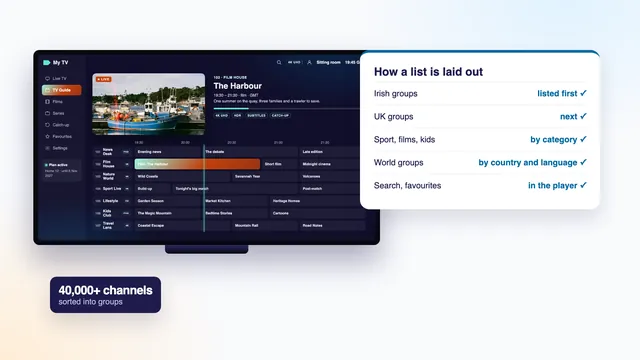
VLC shows the entries in the order the file gives them, as one long column. The country and category groups that a TV player turns into folders, Irish groups first, are usually not shown as folders here, so scrolling is slow. Use the search box at the head of the playlist instead: type part of a channel’s name and the list narrows as you type. On a Mac or a phone, scroll or use the search where the app offers it.
The N and P keys on a PC jump to the next and previous entry, which is how you flick between channels in VLC. Three menus are worth knowing once a channel is playing:
- Audio › Audio Track moves between language or commentary tracks when a channel or film carries more than one.
- Subtitle › Sub Track turns on the subtitles that come with a film.
- Video › Deinterlace, set to Automatic or On with the Yadif mode, tidies the jagged edges some live sport shows on fast pans.
For the way the groups are arranged, country first and then category, see the channel list explained.
What VLC does not do
VLC is a media player rather than a TV player, and the difference shows after a day or two:
- No programme guide grid. The guide link in your login message is a separate file, and VLC never asks for it, so you see channel names but not what is on now or next.
- No catch-up menu. Channels that keep recent programmes offer them through the Xtream login, and VLC has no way to browse that archive.
- No favourites. You can save a trimmed playlist file, but it holds your password on every line and goes out of date as the list changes.
- No library view. The 120,000 films and series are far easier to browse with posters, seasons and episodes in a dedicated player.
- Slow with very large playlists. Each time you open the link, VLC downloads and reads the whole list again, which on a modest device means a long wait.
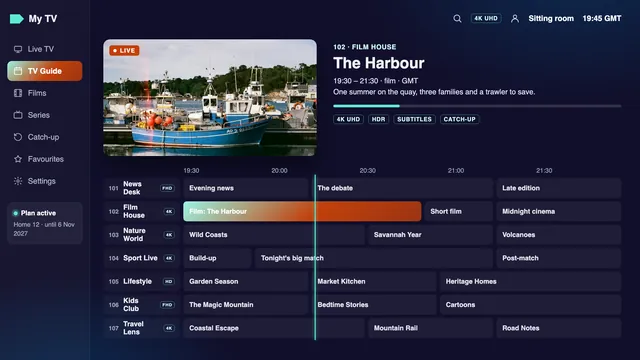
None of this is a fault in the login. The same message works in any compatible player, and nothing stops you keeping VLC for quick checks while you watch elsewhere. The guide to the programme guide link and the catch-up guide show what those two features look like where they are supported.
Network caching: a bigger cushion for a shaky line
Before it plays, VLC stores a short reserve of the stream. The default is 1,000 milliseconds, a single second, which is lean for live television over Wi-Fi. When the picture catches for a moment every few minutes although the line itself is fine, a larger reserve often smooths it out.
For one session on a PC
In the Open Network Stream window, tick Show more options before pressing Play. A Caching box appears: try 3000 ms, or 5000 ms on a weak signal.
For good on a PC
Go to Tools › Preferences, choose All under Show settings at the bottom left, open Input / Codecs and set Network caching (ms). Save, then restart VLC. On the other screens, the table above shows where the same setting lives.
The price is a slower start and a picture a few more seconds behind the live broadcast. Live streams already trail it by a few seconds to about thirty, so five more rarely matters, except when a neighbour cheers a goal before you see it.
Caching hides short dips; it cannot rescue a line that is too slow. If the picture still stops, measure the speed on the device: a 4K picture wants about 25 Mb/s, Full HD around 10 and HD around 5. On a PC that struggles with 4K, make sure hardware decoding is on (Tools › Preferences › Input / Codecs); the guide to watching on a Windows PC shows how to see whether the graphics chip is doing the work.
When a dedicated player suits you better
Keep VLC for a login check, a single channel on a work laptop, or a device where nothing else installs. Move to a dedicated player when:
- you want to see what is on tonight and plan around the seven-day guide;
- you watch catch-up or browse the film and series library;
- the television is the main screen and the remote is the only keyboard;
- you want favourites, the last channel remembered, and the Irish groups laid out first.
IPTV Smarters Pro runs on Android, on Apple TV, iPhone and iPad, and on Macs built on Apple silicon, and logs in with the three Xtream Codes lines; the IPTV Smarters Pro guide shows where to find the genuine app. On Android TV and Fire TV, TiviMate is built for the remote, free with paid extras. Every one of them uses the same login message, so switching player costs only the minutes it takes to enter it.
For the other screens in the house, the setup guide goes device by device. An IPTV VLC playlist and a full player can share the same login; on a single-screen plan, just never run the two together.
Keeping the playlist link private
Read the M3U link closely and you will find your username and password inside it, in plain text. Whoever holds the link holds your login, so treat it like a house key.
- Never post it in a group chat, a forum or a comment, and blur it in any screenshot you share.
- On a shared or family computer, VLC remembers recent addresses under Media › Open Recent Media. Clear the list there, or untick Save recently played items in Tools › Preferences › Interface.
- A saved playlist file (Media › Save Playlist to File) carries the login on every line. Keep it off shared folders and cloud drives.
- Each plan is meant for a single household, and a login that turns up outside the home, or in public, can be suspended.
If you think the link has been seen outside your home, message the team through the contact page and say so. The link comes with every one of the four Home plans; Home 12, the plan most homes take, is €49 for 12 months, and the IPTV yearly subscription page compares all four by the month.
Frequently asked questions
Can VLC use my Xtream Codes login?
Not directly. VLC offers nowhere to enter the three Xtream lines. Use the M3U link from the same message, which carries those details inside it, or choose a player that accepts Xtream Codes.
Why does VLC show channel names but no programme guide?
The guide comes from a separate link in your login message, and VLC has nowhere to put it. Channels play normally; for the seven-day grid on Irish time, use a dedicated player or Kodi with its guide add-on.
Is VLC free?
Yes. VLC is free and open source on every platform, with no paid edition. If a store listing asks for money for VLC, look at the developer’s name before going further.
VLC stops responding while the playlist loads. Is something wrong?
Usually not. The list holds 40,000+ channels and VLC reads every line before it settles, which takes longer on older devices. Wait a minute; if it closes every time on a phone, the phone is short of memory for the list.
Does VLC play 4K channels?
Yes, on channels and titles made in 4K, when the device decodes HEVC in hardware and the line holds about 25 Mb/s. On a Full HD screen, the HD or Full HD version looks just as sharp and asks less of the line.
Will VLC on my phone use mobile data?
Yes, whenever the phone is not on Wi-Fi. At about 5 Mb/s, an hour of HD comes to roughly 2 GB, so join the home Wi-Fi for anything longer than a quick look.
Do I need a new link if I move from VLC to another player?
No. The same login message works in any compatible player. Enter the Xtream Codes lines or paste the M3U link in the new app, and close VLC if your plan covers one screen.