IPTV guide
IPTV catch-up: watching programmes that have already aired
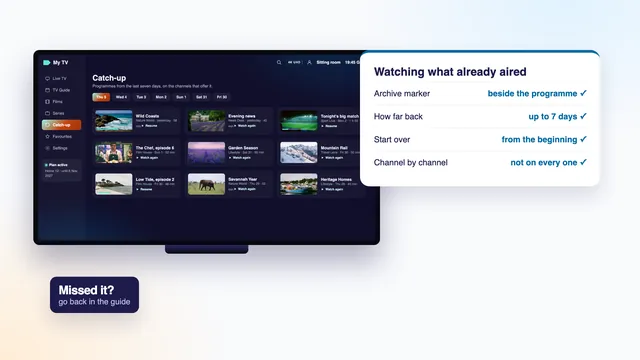
IPTV catch-up opens programmes a live channel has already shown, straight from the programme guide, with no recording made beforehand. Below you will find which channels keep an archive and how to spot them, how many days back it reaches, how starting over and pausing work, why the type of login matters, and what to do on each kind of screen when the archive will not play.
The idea behind IPTV catch-up
On a channel with catch-up, the server holds on to what it broadcast for a number of days. In the player, that past shows up in the programme guide: scroll left from the current hour, back beyond the “now” line, and earlier programmes turn into blocks you can play instead of greyed-out history. Press one and it starts at the beginning.
Nothing is stored on your TV or stick, and nothing has to be planned. That is the big difference from recording: a recording exists only if you asked for it before the programme went out, while catch-up covers whatever the channel kept, whether you thought of it in time or not.
Players give the feature different names: “Catch-up”, “TV archive”, “Replay” or “Timeshift”. All of them lead to the same archive on the server. In this guide, IPTV catch-up means that archive and the ways a player opens it.
Which channels keep an archive
The archive is switched on channel by channel. Of the more than 40,000 live channels, a share carry one and the rest are live only. Which ones can change over time, so the dependable way to know is the marker your player shows, not a list kept somewhere else.
Finding the archive marker
- In the channel list: a small clock, a curved rewind arrow or a coloured dot next to the channel name.
- In the guide grid: past programmes on archive channels carry the same icon, or stay in full colour while those on live-only channels fade out.
- In a section of its own: players signed in with Xtream Codes often put a “Catch-up” tile on the home screen. Open it and you see just the archive channels, in the same groups as the main list.
- In the programme’s details: pressing a past programme offers “Play” or “Watch from start” where an archive exists, and nothing at all where it does not.
If none of these appear on any channel, the player is probably signed in with the M3U link, or is an app that does not handle the archive. Both cases are covered further down.
How far back it reaches
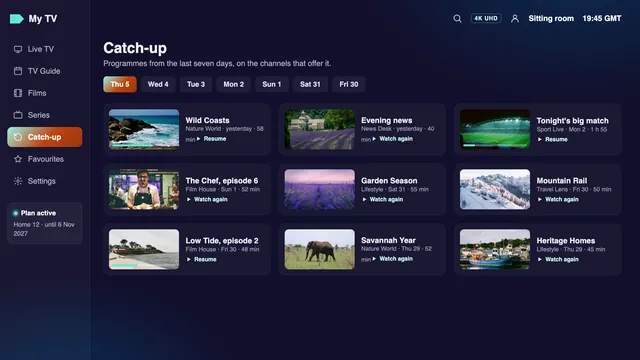
Usually up to 7 days, though the depth is set for each channel separately. One channel may keep the whole week, another three days, another a single day. Some players display the depth next to the channel, as a number of days or as a row of day tabs in the catch-up section.
The archive moves like a conveyor belt. Each hour a new hour joins at the recent end and the oldest hour falls off the far end, so a programme from a week ago may be gone by the time you press it, while last night’s is safe. Something from the weekend should be watched before the next weekend comes round.
Gaps in the archive
Once in a while one programme is missing from an otherwise full archive: the stream dropped while it was being stored, or that programme was left out. The player then shows an error, or plays a few seconds and stops. Nothing on your side will bring it back. Try the next programme to confirm the rest of the archive plays, and tell the team if a whole channel’s archive has disappeared.
Start over, pause live, and how it differs from films on demand
Starting a programme from the beginning
You switch on at twenty past and the programme began on the hour. On an archive channel, many players offer “Start over”, “Restart” or “Watch from beginning” in the channel’s options or in the banner. It opens the same programme from the archive at its first minute, while the live channel carries on without you.
Pausing live
Some players can pause a live channel and pick it up later. They manage it in one of two ways: by holding the last few minutes in the device’s memory, which works on any channel but only for a short break, or by jumping into the archive, which works only on channels that keep one. Either way you are now behind live, and the live button brings you back to the present moment.
Catch-up, recordings and films on demand
VOD, short for video on demand, is the film and series library, 120,000 titles in all, that you can start at any time. It has nothing to do with broadcast times: a title stays available for as long as it is listed, whatever day it is. Catch-up works the other way round, following the guide and lasting only as long as the channel’s archive.
| Live | Catch-up | Films and series (VOD) | A recording | |
|---|---|---|---|---|
| What it is | The channel as it airs | A past programme from the channel’s archive | A title from the library | A file you asked the player to make |
| Where you find it | Channel list and guide | The guide, left of “now”, or the Catch-up section | The Films and Series sections | The player’s list of recordings |
| How long it lasts | Only while it airs | Usually up to 7 days, by channel | While the title is listed | Until you delete it or the storage fills |
| Planning needed | None | None | None | Set before the programme starts |
| Pause and skip | Limited | Yes, inside the programme | Yes | Yes |
| Uses one of your screens | Yes | Yes | Yes | Yes, while it records |
Catch-up with Xtream Codes or with an M3U link
The same channels keep the same archive whichever way you sign in. What changes is whether the player can find it.
With Xtream Codes, the player asks the server, channel by channel, whether an archive exists and how many days it holds, then builds the catch-up section and the markers from the replies. It also takes programme times from the guide, so pressing a past block opens the right minute. For IPTV catch-up, this is the login to choose.
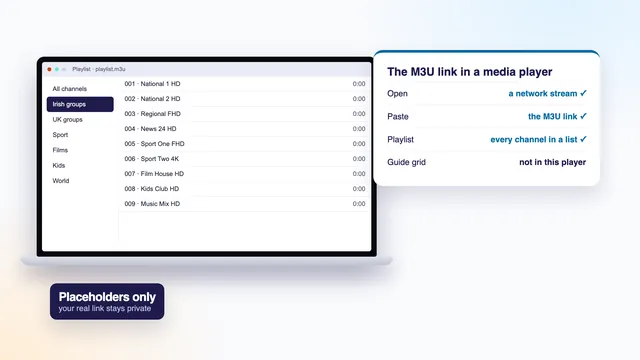
With an M3U link, the same information has to travel inside the playlist as extra tags on each channel, and the player has to read them. Many playlist apps ignore those tags. VLC, for one, plays live channels from the playlist but offers no archive. If you see live TV but no catch-up anywhere, switch the profile to the three Xtream Codes lines; the guide to the Xtream Codes login shows where each line goes.
Why the guide matters here
Catch-up relies on the guide’s start and end times to locate a programme inside the archive. If the guide runs an hour out, pressing a programme listed at nine opens whatever began at eight or at ten. Put the guide right first and catch-up follows; the guide to the EPG and its time offset has the steps, with Irish time in summer and winter.
Catch-up on each type of screen
What a screen can do with the archive depends more on the player installed than on the screen itself. At the time of writing:
Android TV, Google TV, Fire TV and Android phones
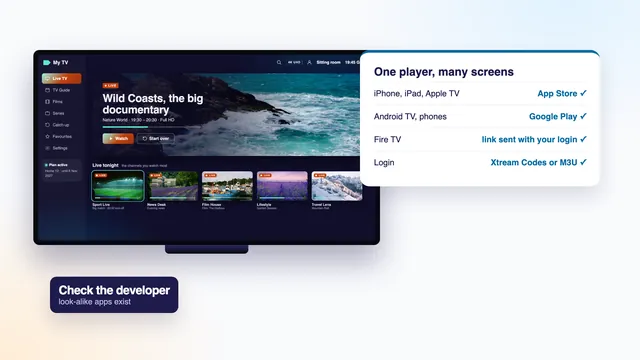
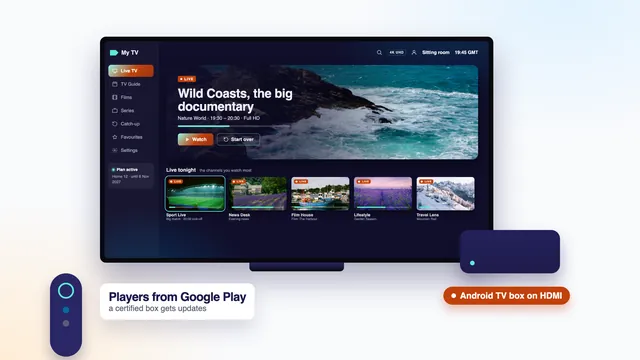
TiviMate and IPTV Smarters Pro both show archive markers and a catch-up section when signed in with Xtream Codes, and on a phone Smarters Pro from Google Play behaves just as it does on the TV. In the guide, the left arrow on the remote usually takes you back into past hours. The players for Google’s TV software are compared in the guide for Android TV and Google TV.
iPhone, iPad and Apple TV
IPTV Smarters Pro from the App Store has a catch-up section on all three once signed in with Xtream Codes. On Apple TV, swipe or press left on the remote in the guide to move into earlier programmes, then select one to play it from the start.
Samsung and LG TVs
Here it comes down to the app on the set. A player that signs in with Xtream Codes, or reads a playlist carrying the catch-up tags, can show the archive; Smart IPTV, which loads only a playlist, may not. Sets older than about 2018 may be stuck on player versions without the feature, and a streaming stick on HDMI is then the simpler route.
Computers and Kodi
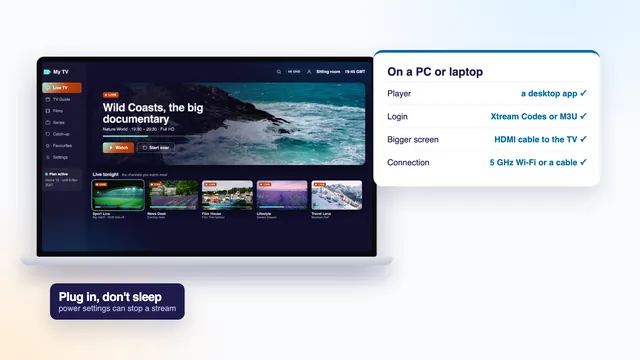
On a Mac with Apple silicon, IPTV Smarters Pro works as on an iPad. On Windows, choose a desktop player that accepts an Xtream Codes login if you want the archive; the guide to watching on Windows looks at the choices. Kodi’s PVR IPTV Simple Client can play catch-up in recent versions when the playlist carries the right tags, but setting it up takes more steps than in a dedicated player.
Common catch-up problems and fixes
- No catch-up anywhere. The player is on the M3U link or does not support the archive. Sign in with Xtream Codes in a player that has a catch-up section.
- The marker is there but nothing plays. The programme has slipped out of that channel’s window, or it is a gap in the archive. Try a more recent programme on the same channel.
- The wrong programme opens, or it starts halfway through. The guide is out of step with the clock. Put the device on the Dublin time zone with its clock set automatically, check the EPG time offset, then reload the guide.
- Playback starts, then stalls. An archived programme needs the same steady speed as live, measured on the device itself: around 5 Mb/s for an HD programme, double that for Full HD and some 25 Mb/s for 4K. A cable, or the 5 GHz band with the TV near the router, helps most.
- Skipping forward is slow. Each jump asks the server for a fresh piece of the archive. Skip in larger steps and give it a second to settle rather than pressing again and again.
- Only today’s programmes appear. Some players show a limited number of past days by default. Look for a catch-up days or archive range setting, or use the day tabs in the catch-up section.
- A “too many connections” message during catch-up. A past programme is streamed just like live TV, so it counts towards the plan’s screens. Stop playback on the other screen first.
The team can check the archive on a given channel if you send the player, the screen, the channel and the time of the programme via the contact page. If live channels fail as well, the problem is wider than catch-up, and the steps for IPTV that will not load or play come first.
Catch-up terms in plain words
Catch-up
Programmes already broadcast, stored by the server for as many days as that channel’s archive allows.
Archive
The stored past of one channel; its depth is the number of days it keeps.
Archive marker
The icon or colour that shows a channel or a programme can be played back.
Start over
Opening the programme on air now from its first minute, taken from the archive.
Timeshift
Watching behind live after a pause or a jump back; some players use the word for catch-up as a whole.
VOD
Video on demand: the library of films and series, not tied to any broadcast.
EPG
Electronic programme guide: the schedule catch-up uses to find each programme in the archive.
IPTV catch-up comes with every Home plan, on the channels that keep an archive. Most homes take Home 12: a year for €49. Home 12 Duo lets two rooms watch at once, live or catch-up, for €79. All four are set side by side on the IPTV yearly subscription page. Setting up a first screen? How to set up IPTV walks from the login message to a channel playing on screen, and the home page lists what an IPTV plan includes, from live channels to catch-up.
Frequently asked questions
Does every channel have IPTV catch-up?
No. Catch-up is switched on channel by channel, and many channels are live only. Look for the archive marker in the guide or the channel list; a channel without it cannot be played back.
How far back can I watch?
Usually up to 7 days, but each channel keeps its own number of days. The oldest programmes drop off first, so watch those before the more recent ones.
Do I need to record programmes to watch them later?
Not on channels with an archive, because the programme stays on the server for that channel’s number of days. For channels without catch-up, or to keep something longer, a player that records is the only way.
Why can’t I see catch-up in my player?
The player is probably signed in with the M3U link, or does not support the archive. Sign in with the three Xtream Codes lines in a player with a catch-up section, such as IPTV Smarters Pro or TiviMate.
Does catch-up count as one of my screens?
Yes. A past programme is streamed from the server like a live channel, so it counts towards the plan’s limit. With Home 12 Duo, two screens can stream together; the other three plans stream to one.
Can I fast-forward through a catch-up programme?
Yes, inside the programme you opened, on most players. Each jump loads a new piece from the server, so it takes a moment to settle; skipping in bigger steps is smoother.
Why does catch-up open the programme before the one I chose?
The guide’s times are out of step with your device’s clock, usually by an hour. Choose Dublin as the device’s zone, let the network set its clock, check the player’s EPG time offset, then reload the guide.