IPTV guide
IPTV channel list: how the groups are ordered and how to find your channels
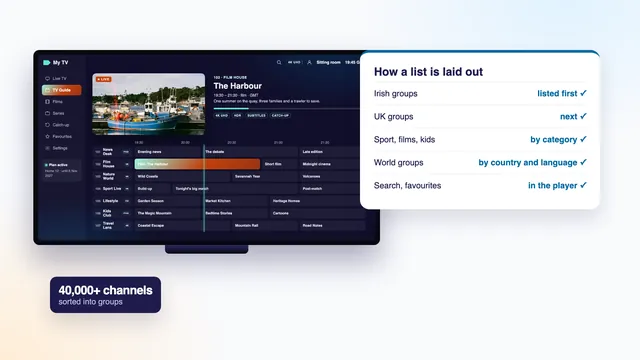
An IPTV channel list is not a document to download and read through: it is the menu your player draws from the login, and with 40,000+ live channels it works only because every channel sits in a named group. This guide shows how those groups are ordered, how to search them, how to keep the channels you use within a couple of presses of the remote, and what the HD, FHD and 4K tags beside the names mean. No channel is named here; categories tell the story just as well.
What an IPTV channel list really is
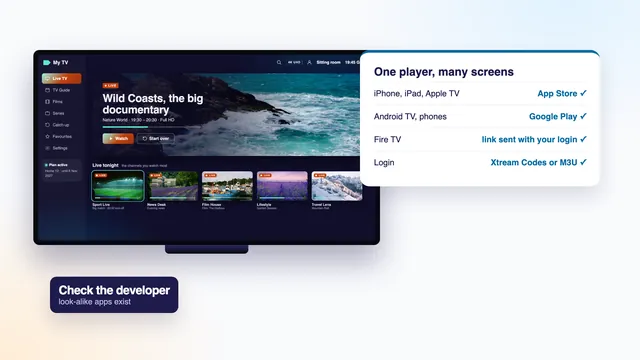
Every live channel on the server carries three pieces of information: a name, the group it belongs to, and an address the player can stream it from. The list is nothing more than all of those entries together. When you sign in, the player asks the server for it and draws it as a column of groups, with the channels of whichever group you pick laid out beside them.
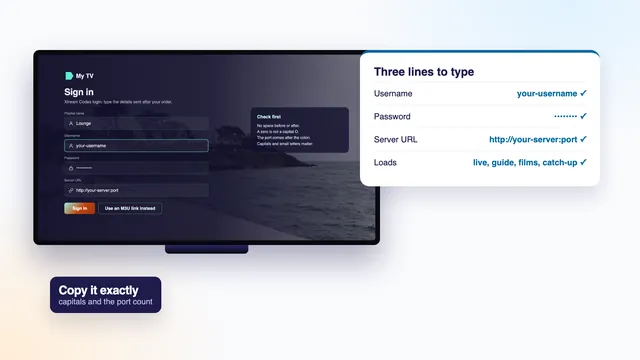
How the list reaches the player depends on which part of the login you use. With the Xtream Codes sign-in (the user name, password and server address), the player fetches the groups as categories, along with the on-demand library and the listings. With the M3U link, the whole list arrives as one long text playlist in which each entry carries a group-title tag naming its group, a tvg-id that ties it to the guide, and often a logo. Either way the grouping is decided on the server, not in your app. The Xtream Codes login guide explains those three lines in detail.
Because the list arrives with the login, there is nothing to look for, copy or import by hand. We do not publish it as a web page or as a file: it lives inside the player and updates from the server whenever the app refreshes.
Country first, then category: the order of the groups
A list this size is shelved the way a large library shelves its books. Countries are the floors of the building, and categories are the subject sections on each floor. Ours runs in the order below, from the top of the screen down.
The Irish groups
Irish groups open the list, so a home in Ireland sees its own channels before anything else. Inside, you will find groups for the national channels, for regional and local stations, for channels broadcast in Irish, and for news, entertainment and sport. An Irish national channel sits with the national ones, a local station with the regional ones, and a rolling news channel with news. A channel that mixes several kinds of programme can only take one place, so the people who sort the list choose for it; if one is not where you expect, search rather than scroll.
The UK groups
UK groups come straight after, split along similar lines: the main national channels, their regional versions, news, entertainment and factual. Plenty of Irish households watch as much from across the water as from home, which is why these groups sit second rather than further down.
Sport, films, kids, documentaries and music
Next come groups sorted by subject rather than by country. Sport is usually the largest family and is often divided again, by sport or by the country a channel comes from: football in one group, rugby in another, and others for horse racing, golf, boxing, motor racing or Gaelic games. Live film channels follow, then kids, documentaries and music, each a single group or a short cluster of them.
World groups by language
The rest of the list is the world: groups by country and language, for homes that follow news, sport or drama from somewhere else. Each one usually gathers that country’s general, news, film and children’s channels together. This is the longest stretch of the list by far, and the part most households trim first. If one language matters to your family, ask the team which groups cover it before you order.
| Order | Group family | What sits inside | Why it sits there |
|---|---|---|---|
| 1 | Ireland | national and regional, in Irish, entertainment, news, sport | the channels an Irish home reaches for most |
| 2 | United Kingdom | national, regional, news, entertainment and factual | widely watched in Irish homes |
| 3 | Sport | split by sport or by country: football, rugby, Gaelic games, racing, golf and more | the busiest groups on match nights |
| 4 | Films | live film channels, often by genre | the on-demand library has a menu of its own |
| 5 | Kids | cartoons, pre-school and family channels | easy to keep as a favourite or lock with a PIN |
| 6 | Documentaries | nature, history, science and travel | a short group, quick to browse |
| 7 | Music | music video and concert channels | background viewing, rarely searched |
| 8 | World | groups by country and language: general, news, films, kids | the longest stretch, the first one most homes trim |
Why lists use groups
Picture scrolling 40,000 channels one line at a time. At one press of the remote a second, reaching the bottom would take about 11 hours. An IPTV channel list of that size is only usable because it is cut into groups.
Groups solve three problems at once. They shorten the path, since two or three presses land on a category instead of thousands of single steps. They keep the player quick, because most apps load one group at a time rather than the whole list, so the screen answers the remote promptly even on a modest stick. And they make the guide readable: a grid for one group fits on a screen, where a grid for everything never could.
Groups also make the list predictable. Once you know that Irish news sits near the top and the sport groups follow the UK ones, you can find a channel you have never watched before without searching at all.
Searching the list in a player
Every mainstream player has a search, usually a magnifying-glass icon at the top of the live TV screen. A few habits make it much more useful.
- Type less. Three or four letters of a distinctive word find more than the full name, which may be written differently in the list: with or without a country code, a quality tag or a space.
- Check what it searches. Some players search only the open group, some the whole live list, some live TV, films and series together. If a channel you know exists does not come up, go back to the main live screen and search from there.
- Mind the fada. A search for an Irish-language name typed with an accent may miss an entry written without one, and the other way round. Try both spellings.
- Use the numbers. Players that number their channels let you key the number in with the remote’s digit buttons, as on an ordinary TV. The numbers follow the order of the list, so they can shift when the list is updated.
- Search the guide as well. Some players also search programme titles in the guide, which is the quickest way to find where a match or a film is showing tonight.
Favourites and hiding groups
Search suits the occasional channel. For the ones you watch every day, two features do the real work: favourites and hidden groups.
Building a favourites group
In most players, a long press on the OK button over a channel, or a star or heart icon beside its name, adds it to Favourites. The chosen channels then form a group of their own, usually at the top of the live screen, in the order you added them; some players let you drag them into a new order. A household might keep a dozen there, say the Irish news, two sports channels, a kids channel and a couple of film channels, and hardly ever open the full list again.
A second TV with its own copy of the app starts from scratch, and so does a new device or a fresh install. A few players can back favourites up to a file or to an account of their own; look in the settings.
Hiding the groups you never watch
Most players also let you hide whole groups, under a menu with a name such as hide categories, manage groups or edit categories. Hiding the world groups in languages nobody at home speaks can turn thousands of channels into a few hundred. Nothing is deleted: the groups stay on the server and reappear the moment you show them again.
Locking groups for children
Players with parental controls let you put a PIN on any group you choose. Lock everything except the kids groups on the children’s screen, or keep the film groups behind a PIN, and the remote opens only what you meant it to.
HD, FHD and 4K labels, and why one channel appears more than once
Scroll through a busy group and you will often meet the same channel two, three or four times, each with a different tag after its name. That is deliberate. Every entry is a separate stream, and the tag tells you what sort.
| Tag | What it means | Steady line it needs | Pick it when |
|---|---|---|---|
| HD | high definition, usually 1280 by 720 pixels | about 5 Mb/s | you want a dependable picture on most lines |
| FHD | Full HD, 1920 by 1080 pixels | about 10 Mb/s | a large TV on a decent line |
| 4K or UHD | 3840 by 2160, on channels made in 4K and nowhere else | about 25 Mb/s | you have a 4K set, an HEVC-capable player device and a strong line |
| 50 fps | fifty frames each second, for smoother motion | a little more than the same tag without it | fast sport, when the source allows it |
| HEVC or H.265 | a more efficient compression of the same picture | less than an H.264 copy of the same quality | the device decodes HEVC in hardware |
Quality is not the only reason a channel repeats.
- Backup feeds. A second copy taken from a different source, often marked as a backup or an alternative. If the main one freezes or shows a black screen, the backup will often play.
- Regional versions. A national channel with different news or adverts by region can appear once for each region.
- Commentary languages. The same event may come with commentary in different languages, each one its own entry, especially in the sport groups.
- Time-shifted copies. Some channels have a +1 version that runs the same schedule an hour later.
The practical rule: start with the highest quality your line and device can hold all evening, and keep the version one step below as a favourite for nights when the line is crowded. A steady HD picture is nicer to watch than a 4K picture that halts every few minutes.
The guide data beside each channel
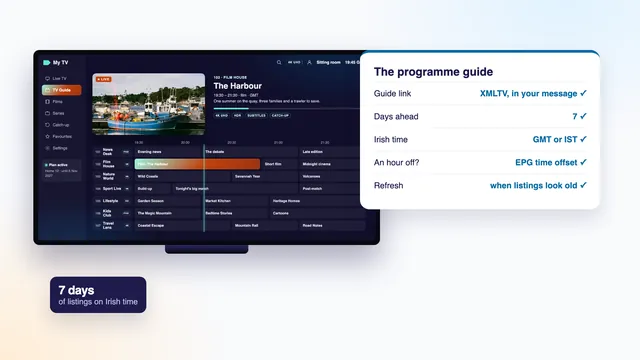
Highlight a channel and most players show a line or two beneath it: the programme on now, how far through it is, and what comes next. That comes from the guide data (the EPG, or electronic programme guide), a separate listings feed in XMLTV format, which the player matches to each channel through the ID in its entry. Open the full guide and the same data fills a grid seven days wide, on Irish time.
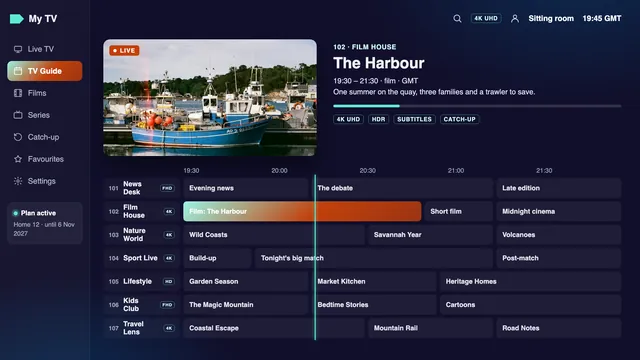
When that match fails, the channel still plays, but its guide line reads “No information” or stays blank. It happens most with backup feeds and new entries, and it says nothing about the stream. A guide that shows the right programmes an hour early or late is a different matter, a time-zone one: the player’s EPG time offset setting fixes it, and the guide to the IPTV EPG and its time offset shows the menus.
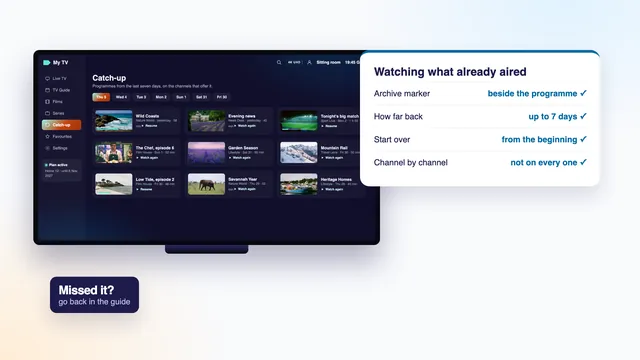
Channels that keep an archive also carry a catch-up mark in the guide, and choosing a programme that has already aired plays it from the start. How far back that reaches, usually up to seven days, is covered in the guide to catch-up and its archive.
When the list changes
An IPTV channel list is never finished. Channels move between groups, new entries appear, a source changes and its backup takes over, and seasonal groups come and go around big tournaments. Players pick the changes up when they refresh, which most do at start-up or on a timer, and there is usually a refresh or update button in the settings as well.
Two side effects are worth knowing. A channel renamed or moved on the server can drop out of a favourites group, so if one goes missing, search for it and add it again. And if the list still looks out of date, refreshing the playlist in the app, or signing out and back in, normally brings it level. When a channel will not play at all, the checks for a stream that will not load go through the causes in order.
In plain words
- Group (or category): a folder of channels that share a country or a subject.
- Entry: one line of the list, made of a name, a group and a stream address.
- Tag: the short label after a name, such as HD, FHD, 4K or 50 fps.
- Backup feed: a second copy of a channel, taken from another source.
- EPG ID: the code that pairs a channel with its guide listings.
- Favourites: your own group of chosen channels, kept by the app on each device.
Whichever length you choose, the list does not change: every Home plan opens the same live groups, the same library of 120,000 titles and the same week of listings. At €49 for 12 months, Home 12 comes to 13 cent a day, settled in one go. See the four Home plans and their prices, open the plan-by-plan page with monthly costs and end dates, or start from the IPTV home page and its plain explanation. Once your login arrives, the setup steps for each screen take you from the message to the first channel, and what IPTV is and how a stream reaches your TV fills in the background.
Frequently asked questions
Is the IPTV channel list available to view before ordering?
We do not publish the list as a page or a file, because it lives on the server and changes often. The groups follow the order in this guide, and if a country, a language or a sport matters to your household, ask us first and we will say whether it is covered.
Why does the same channel appear several times?
Each entry is a separate stream: a different quality (HD, FHD or 4K), a backup from another source, a regional version or another commentary language. Pick the highest quality your line holds steadily, and keep a second version as a favourite for busy evenings.
How do I keep the channels I watch at the top?
The Irish groups already open the list. To bring the few you watch daily even closer, add them to Favourites, usually with a long press on OK or a star icon, and the favourites group appears at the top of the live screen.
Can I remove groups I never watch?
You can hide them in the player’s settings, often in a menu for categories or groups. Hiding changes only what that device shows; the groups stay on the server and come back when you show them again.
Why is there no guide information next to some channels?
That entry is not matched to any guide listings, which happens most often with backup feeds and new entries. The stream still plays. If the guide shows the right programmes at the wrong hour, move the EPG time offset one hour instead.
How many channels are in 4K?
We give no number, because it depends on what each source produces and it changes over time. 4K tags appear only on channels made in 4K, and playing them needs a 4K screen, hardware HEVC decoding in the device, and roughly 25 Mb/s that does not dip.
Is the list the same on every plan?
Yes. All four Home plans, from Home 3 to Home 24 and including Home 12 Duo, carry an identical list, library and guide. What sets them apart is the number of months and of screens.