IPTV guide
What is IPTV? Television over your broadband, explained plainly
What is IPTV? It is television sent over the internet, down the same broadband line that carries your email and video calls, and opened in an app on the screen instead of a tuner wired to an aerial, a dish or a cable. This guide explains it from the ground up: where the name comes from, how it compares with the older ways of watching, the two kinds that share the word, the path a stream takes into the house, and what you need to watch it, with the limits set out as plainly as the strengths.
What is IPTV? Start with the name
Internet Protocol, the IP in the name, is the common rulebook that lets any two machines on the internet find each other and exchange data. Whatever is sent gets chopped into small numbered packets; each packet carries the address it is going to, and the receiving end puts them back in sequence. Email, video calls and every web page you open already move that way. Internet protocol television puts pictures and sound on the same road.
So what changes is the delivery, not the programmes. A hurling final, the evening news or a feature film looks the same once it fills the screen. What differs is the route it took. In place of a radio wave caught on the roof, or a signal on a coaxial wire from the street, the programme arrives as data through the broadband line the house already pays for, and an app rebuilds that data into moving pictures.
That single change explains the features people link with the word. Data travels when it is asked for, so a player can fetch last night’s programme as easily as tonight’s, show channels from dozens of countries in one menu, and start a film from a library at whatever moment suits you. It also means the picture now rests on two things an aerial never worried about: how good the source is, and how steady your line stays.
How IPTV differs from an aerial, a dish and cable
Irish homes have had four ways to receive television. Three bring their own kind of signal to the house; the fourth borrows the internet connection.
An aerial, fed by transmitters on land
A rooftop or loft aerial collects digital channels broadcast from transmitter masts on hills around the country. The line-up is whatever those transmitters carry, nothing passes through your broadband, and reception depends on geography: a house in a valley or in the shadow of a hill can get a weak or broken picture. The signal holds no catch-up and no library; those need an internet app on top.
A satellite dish
A dish on an outside wall is aimed at a satellite parked about 36,000 km above the equator, which beams one signal down to a whole region at once. A single satellite can carry hundreds of channels, and a dish works far from any cable network. It does need a clear line of sight to that satellite, so a tree that grows or a building that goes up can cut it off, and a cloudburst can break the picture up for a few minutes. A receiver box decodes what the dish collects, and the box or its card decides which channels unlock.
Cable
Cable television comes through a coaxial or fibre line laid under the street, so it reaches mostly towns and estates where a network has been built, and stops where the network stops. A box supplied by the cable company tunes the channels. Many cable networks now carry broadband over the same line, and their newer boxes already use internet technology behind the scenes.
IPTV
IPTV needs no aerial, no dish and no cable socket of its own. The broadband that serves your phone and laptop carries the television too, and a player app on the screen takes over the tuner’s job. The catch is that the line is shared: when someone upstairs is gaming and someone else is downloading, the TV gets what is left over.
| Method | How the signal arrives | Kit in the house | What limits the picture | Catch-up and on demand |
|---|---|---|---|---|
| Aerial | radio waves from a nearby transmitter | an aerial and a TV with a tuner | distance and hills between you and the mast | not in the signal |
| Satellite dish | radio waves from a satellite in orbit | a dish, a cable run and a receiver | line of sight; very heavy rain | only on receivers that also use broadband |
| Cable | a network laid in the street | a wall socket and the company’s box | whether the network passes your door | on the company’s own box |
| IPTV | data packets over your broadband | a device with a player app, plus a login | the source, the line and the Wi-Fi | built in, where each channel offers it |
The two kinds of IPTV
Most people who type “what is IPTV” into a search box have the second kind below in mind, but the word covers two set-ups that work quite differently. Both send television as internet-protocol data. They part ways on who controls the road it travels.
Television run by a broadband company on its own network
Some broadband companies sell a TV package with the line. The channels never touch the open internet: they travel inside that company’s network, from its equipment to a set-top box it hands you. Owning the whole route lets the company set aside part of your line’s capacity for television, and send each channel once to a whole neighbourhood, with every box that wants it joining that one copy. Engineers call this multicast.
In daily use it feels much like cable. You change channel with the box’s remote, the picture is steady because the route is reserved, and the whole thing works only with that company’s broadband, inside the area it covers. Leave the company and the television goes with it.
IPTV over the open internet, opened in a player app
The second kind runs over any broadband line, whoever supplies it. Servers on the internet hold the channels and the library; you add a player to whatever screen you watch on, be it a smart TV, a stick, a phone or a laptop; and you sign in with a login from the seller. Every screen receives its own copy of the stream (unicast), so the servers and the route carry one stream per viewer. That is why the busiest evening hours matter more here than on a reserved network.
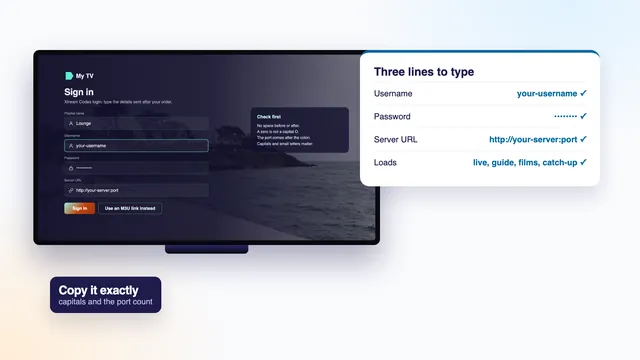
This is what our Home plans are: a login that unlocks more than 40,000 live channels and, next to them, 120,000 films and series to watch on demand, in whichever compatible player you prefer, on the broadband you already have. It comes in the Xtream Codes style, three short lines for a user name, a password and a server address, and our Xtream Codes guide, line by line shows where each part goes.
How the two grew up
The managed kind came first: once telephone and broadband lines were quick enough to carry video, the companies that ran them began sending channels down those lines to a box of their own. Faster home connections and better video compression later let the same idea work across the open internet. A player app, rather than a rented box, then became the tuner, and that is the form most homes meet today.
How a stream travels from the server to your screen
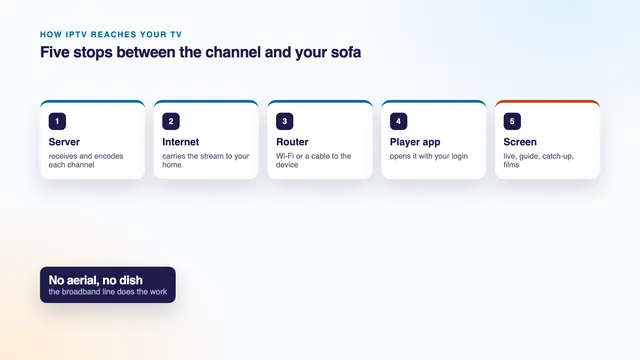
Whichever kind you use, a live channel passes six stations on its way to the sitting room. They are worth knowing, because each has its own typical fault, and a problem is far quicker to fix once you know which station it lives at.
- The source. The channel’s feed is taken in where it is produced or broadcast, at its original quality. Each later station can keep that quality or lose a little, never add to it: a feed that starts in HD can end in HD at the very most.
- Encoding. Raw video is far too heavy to send as it is, so an encoder squeezes it, usually with H.264 or the newer HEVC (H.265), and cuts the result into an even flow of packets. The data left over for each second of picture is the bitrate.
- The server. Encoded channels wait on servers that hand a copy to each player asking for one. At peak hours the work is spread over several of them, so a busy evening never rests on a single machine.
- The internet. The packets cross several networks between the server and your broadband company, then travel down the line to the house. Most nights this leg is invisible; on a congested one it is where small delays creep in.
- Your router. The router passes the packets to the TV or stick, through an Ethernet cable or over Wi-Fi. This short last hop causes more freezes than any other, because walls, distance and the crowded 2.4 GHz band all slow Wi-Fi down.
- The player and the screen. The app stores a few seconds of video in reserve (the buffer), decodes the packets back into pictures and hands them to the screen over HDMI. A device that cannot decode HEVC in its hardware will stumble on 4K, however fast the line.
The buffer explains a habit shared by all internet television: live pictures trail the broadcast. The encoder needs its moment, and the player waits until it holds enough video to ride out small hiccups, so a try or a goal usually lands on your screen a few seconds after it happens, and on some channels up to about 30 seconds later.
Live channels, the guide, catch-up and on demand
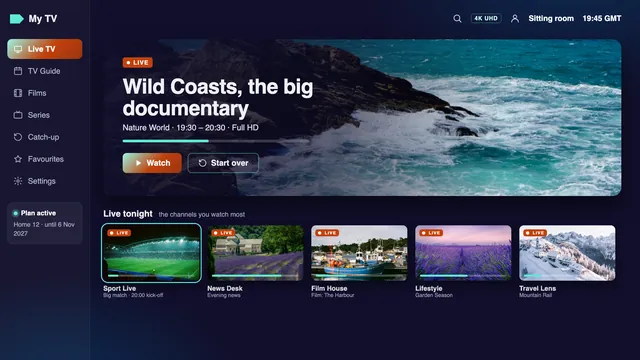
Sign a player in with an IPTV login and its home screen usually offers four doors. All four draw on the same servers, yet each behaves in its own way.
Live TV
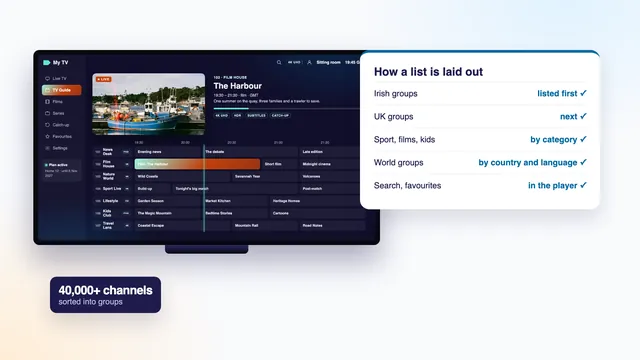
Live channels play as they go out, sorted into groups by country and then by category. With 40,000+ of them in one list, the groups are what keep it usable. Our walk through the groups of a channel list covers them, from the Irish groups at the top to the world groups by language at the end.
The programme guide (EPG)
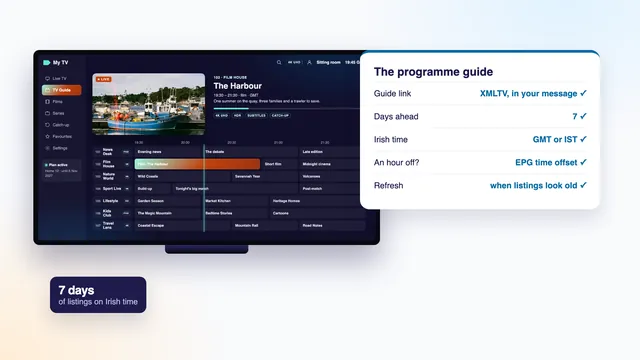
The electronic programme guide, or EPG, is the grid of what is on now, what follows and what airs over the coming days. It comes as a separate stream of listings, in a format called XMLTV, which the player pairs with each channel. Ours looks a week ahead and keeps to the Irish clock: GMT in winter, and IST (Irish Standard Time) for the summer months between the clock changes at the end of March and the end of October. When this page was revised on 6 November 2026, Irish clocks were on GMT. Should every programme look shifted by an hour, a setting usually called EPG time offset corrects the grid; the programme guide explainer shows where it hides.
Catch-up
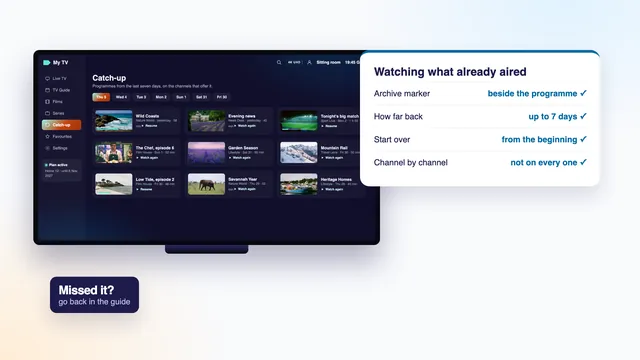
Catch-up replays programmes that went out earlier, picked from the guide grid itself. It applies to channels with an archive, typically a week deep, and those channels wear a small clock or rewind mark in most players. The catch-up guide covers how far back each archive goes and where the player keeps it.
Video on demand (VOD)
Video on demand is the library: films and series with no broadcast time at all. You browse it like a shop window, press play when it suits, pause halfway and pick up later. Ours runs to 120,000 titles. Most are in English, the others carry subtitles, and anything shot in 4K keeps that sharpness when the screen and the line are up to it.
What you need at home
Four things, and most households own two of them already.
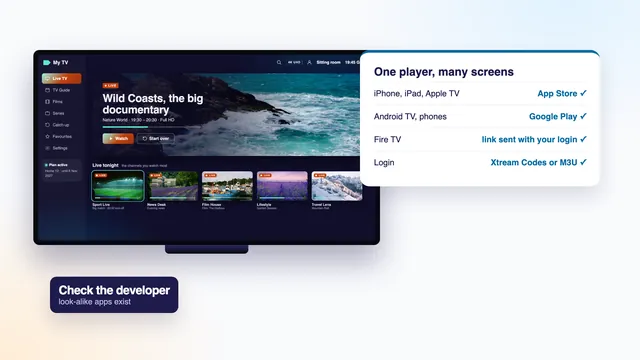
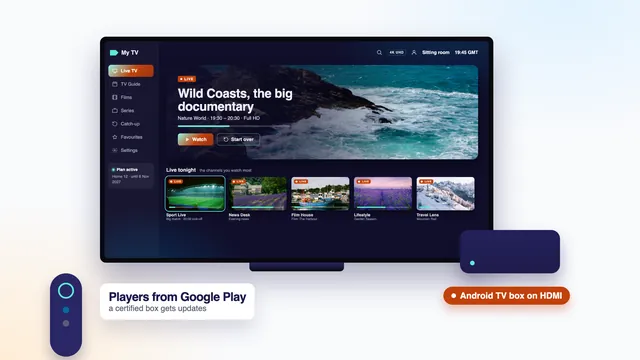
- A device with a screen. A smart TV running Android TV, Google TV or the Samsung or LG system; a stick or box on HDMI, a Fire TV device for instance; an Apple TV; or a phone, a tablet or a computer. Samsung and LG sets from before about 2018 may not get current player versions, and a stick in the HDMI port gets round that.
- A player app. The app is the tuner. Kodi, VLC, TiviMate, XP IPTV, IBO Player, IPTV Smarters Pro and Smart IPTV all take a standard login. None of them holds channels of its own: each one stays empty until you sign in.
- A login. Ours lands on WhatsApp or in your inbox roughly 2 minutes after the payment clears. Inside are the three Xtream Codes lines (user name, password, server address), a playlist link in M3U format, a link for the guide listings, and the last day of the plan.
- A steady line. Steadiness counts for more than headline speed: a line that holds its figure all evening beats a faster one that sags at nine o’clock. An Ethernet cable gives the player its smoothest feed, and Wi-Fi on the 5 GHz band comes next, with the router in the same room or the one beside it.
Which app suits which screen, and which box each detail of the login goes into, is set out step by step in how to set up IPTV on each kind of screen. For the app most people start with, read the IPTV Smarters Pro guide.
| Picture level | Size of the picture | Speed to hold, per screen | Extra the device needs |
|---|---|---|---|
| HD | 1280 by 720 pixels | around 5 Mb/s | nothing beyond a current player |
| Full HD | 1920 by 1080 pixels | around 10 Mb/s | nothing beyond a current player |
| 4K UHD | 3840 by 2160 pixels | around 25 Mb/s | a 4K panel, HDMI at version 2.0 at least, and a chip that decodes HEVC |
The words you’ll meet
A handful of terms turn up in every player menu and every login message. Here they are in plain words.
- Xtream Codes: a sign-in made of a user name, a password and the address of the server. Typed into a player, it loads the live groups, the film and series library, the guide and catch-up together. The name comes from the server software that made this style of login widespread.
- M3U: a plain-text playlist with one entry per channel, reached through a single long web address. Simple players such as VLC read it, and the guide then comes from a separate XMLTV link.
- EPG: the electronic programme guide, the on-screen grid of what is showing and what comes next.
- VOD: video on demand, the library of films and series you start whenever you like.
- Catch-up: programmes that have already aired, kept for a few days on the channels that offer it.
- HEVC (H.265): a newer way of compressing video; for a picture of equal quality it often gets by on about half the bits H.264 uses. Most 4K streams rely on it, which is why a 4K device must decode it in hardware.
- Frame rate: the number of still images that make up each second of video, written as fps. European television is built around 25 and 50 frames per second; 50 makes fast sport look smoother, and our live sport runs at 50 when the source allows. Films are mostly shot at 24.
- Bitrate: the amount of data a stream uses each second, counted in megabits per second (Mb/s). A higher bitrate usually gives a cleaner picture, and your line must carry it with some room to spare.
- Buffer: the few seconds of video a player stores before showing them, so a brief dip in the line does not stop the picture.
Strengths and limits, honestly
Any fair answer to what is IPTV has to include its weak points as well as its strong ones. It is not better than an aerial or a dish in every respect; it is different, and the differences are worth weighing before you order anything.
What it does well
- No installer, no dish and no aerial: if the house has broadband, any room with a screen can show television.
- One login, several screens in the house: the big TV, a stick in the bedroom, a mobile or a laptop, one at a time, or two at once on a two-screen plan.
- Time on your side: the guide, catch-up wherever a channel archives its programmes, and a library you can pause and resume.
- Many countries and languages in a single menu, which matters to households that follow news or sport from more than one place.
Where it has limits
- The picture depends on the source and the line. A channel sent in HD will not turn into 4K, and a 4K film will drop back or pause on a line that cannot hold about 25 Mb/s.
- Live runs behind the broadcast. Expect a few seconds, and on some channels up to about 30 seconds, of delay against an aerial. That is the buffer doing its job, not a fault.
- The evening peak matters. From about 19:00 until 23:00, worst of all at weekends and on big match nights, broadband networks and servers carry their heaviest load. Most freezes at that hour begin inside the house: a Wi-Fi signal struggling through walls, a TV left on the 2.4 GHz band, or a device too old for HEVC.
- No broadband, no television. When the router is down, so is the TV, while an aerial set carries on regardless.
When something does stop, the checklist for a stream that will not load works through the six stations above in order, from the login to the screen.
If IPTV sounds right for your home, the IPTV plans on our home page come in four lengths. Each is a single payment in euro that never renews, and card or PayPal both work. Channels, library and picture are identical across the four; what changes is the length and how many screens can play together. Home 12 works out at 13 cent a day: €49 for 12 months. See the four Home plans side by side, open a page that breaks each plan down by month and by day, or put a question to the team first; replies come 24/7, in English.
Frequently asked questions
What is IPTV in simple terms?
Television that reaches your screen through the broadband line rather than an aerial, a dish or a cable. You open it with a login in an app, on whichever screen you like, and it shows live channels, a guide, catch-up and films whenever you want them.
Do I need a special box?
No. A smart TV with a player app is enough, and so is a phone or a computer. A stick or an Android TV box helps when the TV is too old for current apps or its store lacks a good player. The channels belong to the login, never to the box.
What broadband speed is enough?
Count around 5 Mb/s per screen in HD, double that in Full HD, and roughly 25 Mb/s for every screen showing 4K. What matters is that the figure holds at nine in the evening. Take the reading on the television or the stick itself rather than a phone, and run a cable from the router to the TV where possible.
Why is live IPTV behind the broadcast?
The encoder takes a moment to compress each picture, and the app holds back a short store of video so that small dips in the line do not freeze the screen. Together they put live pictures a few seconds, and at most about 30 seconds, behind an aerial.
Is everything in 4K?
No. A channel or a title shows in 4K only if it was made that way, and then only on a 4K screen with a capable device and a strong line. The bulk of live channels are HD or Full HD. HDR and Dolby Atmos depend on the source as well, and on your player and TV supporting them.
Does it work on more than one television?
It does, though not at the same moment on a one-screen plan. Home 3, Home 12 and Home 24 are one-screen plans: the login can be saved in apps on several devices at home, and one of them plays at a time. For two screens playing together, Home 12 Duo costs €79 for 12 months.